
For your front-page editors: teasers keep their style from early December
Swap the article, keep the look
At Labrador we have a saying: we don’t want our product to get in anyone’s way.
We’ve noticed that many of you duplicate a teaser, put the new article in, and then copy the styling across by hand or you use the spray can every time. From the next update, you can skip all that: Drop a new article onto a teaser, and it keeps the teaser’s look.
We’re telling you before the release because this changes something your front-page editors do every day, and it may take a few days to get used to.
What this means for you
This affects editors who drag articles onto front pages, and drag and drop inside the article editor. Teasers that Labrador CMS fills automatically aren’t affected, and publishing is untouched.
The teaser keeps its colours, fonts, borders, spacing and which parts are shown. The new article keeps its own image crop. Swapping two teasers works the same way: the articles change places, and each position keeps its look.
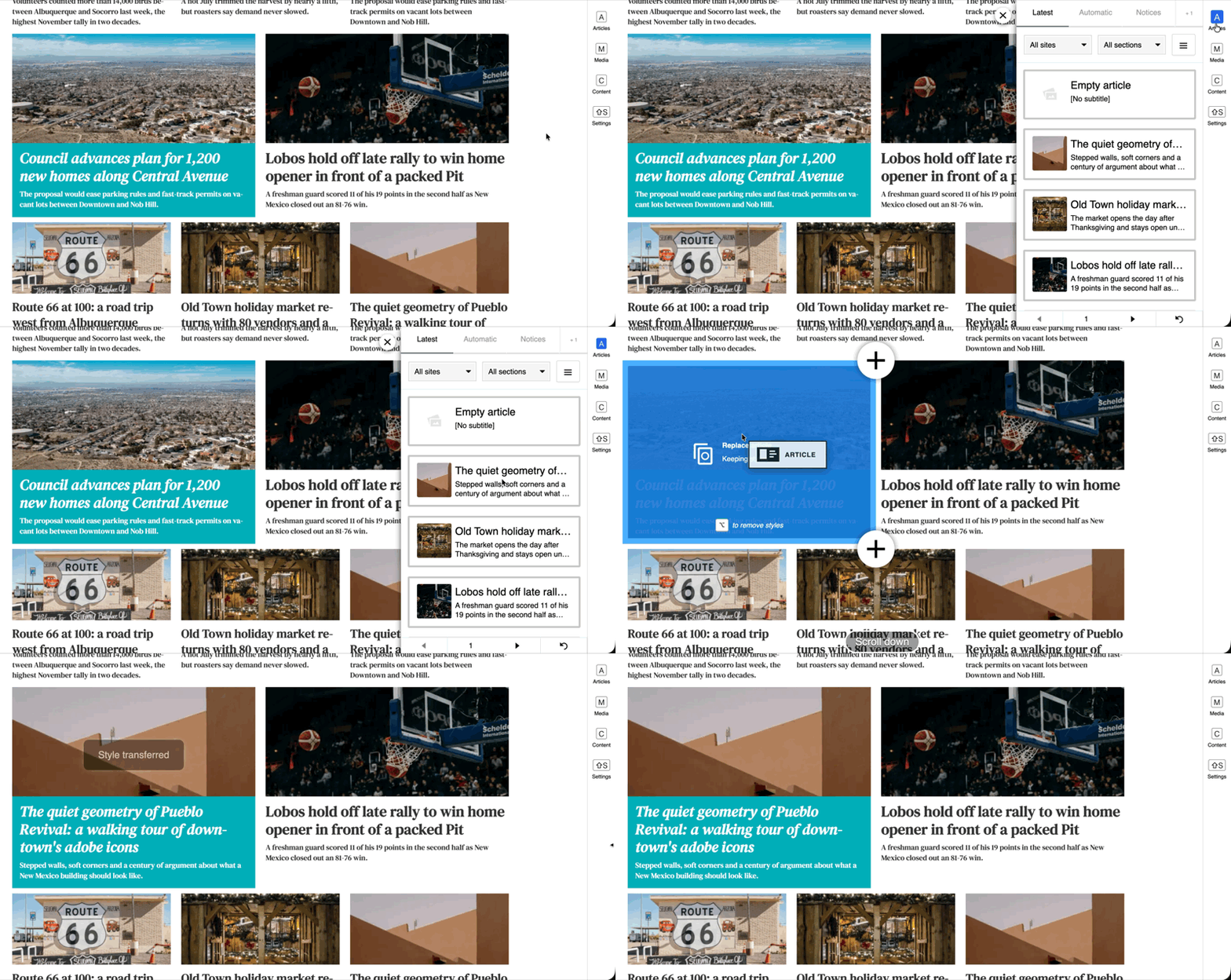
How to drop without the old styling
Drop the article on the middle of the teaser. While you drag, Labrador shows “Replace article” and “Keeping styles”. Hold ⌥ Option (Mac) or Alt (Windows), and the second line changes to “Removing styles”. Let go, and the new teaser arrives with your site’s default styling. Or drop the article in a new row to get the default styling.
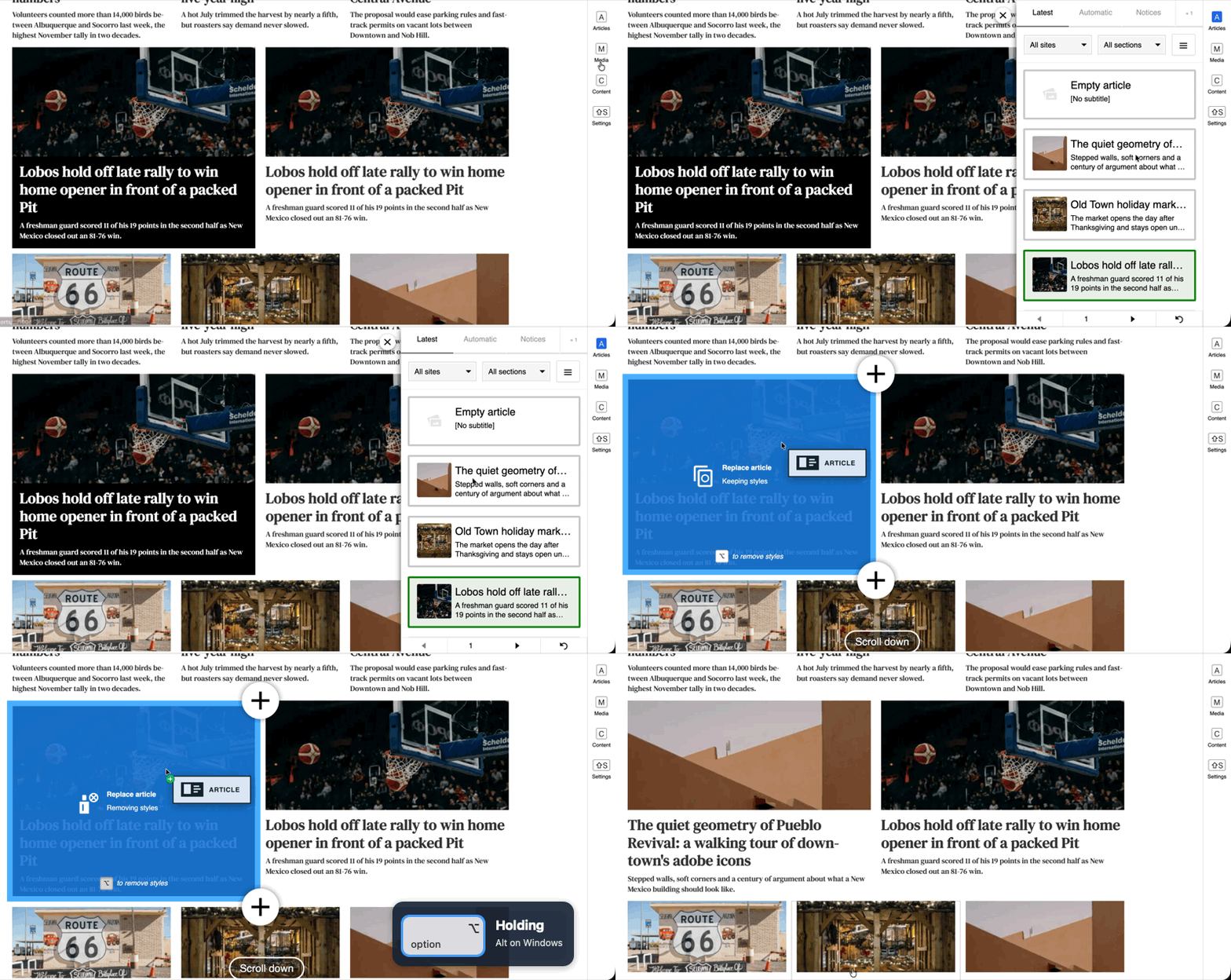
What happens if you do nothing
A breaking story dropped onto a teaser styled for a feature looks like that feature until you change it.
When
The change arrives with the update in early December. Test sites get it at the end of November. The exact date follows in the release notes.
If this breaks something for you
Reply to this email, or write to support@labradorcms.com.
All the best from the Labrador CMS product team