
Introducting Mistral AI, easier image editing and more
This month we are introducing the option to add Mistral AI or update to one of the newest models from the other providers integrated in Labrador. We have also improved image sizing by adding the option to set a fixed aspect ratio to an image. You can also easily update a slideshow with more than one image at a time.
Why are you receiving this newsletter?
Since your site has volunteered to be a test site for Labrador monthly releases, you will gain early access to new features before other customers and be able to provide feedback directly to us.
This also means that you will be more open to the risk that some functionality may not work as expected. Please let us know as soon as possible if you are experiencing any issues following the upcoming release.
What's new this month?
Mistral AI and updated AI models
Labrador now supports Mistral AI, an AI provider based in France. You can choose between three different models for all AI generated content within Labrador. Navigate to Admin > Labrador AI to change providers.
We have also made the latest models from Chat GPT, Gemini and Claude available in the AI admin pages.
The default model is now GPT 5.4.
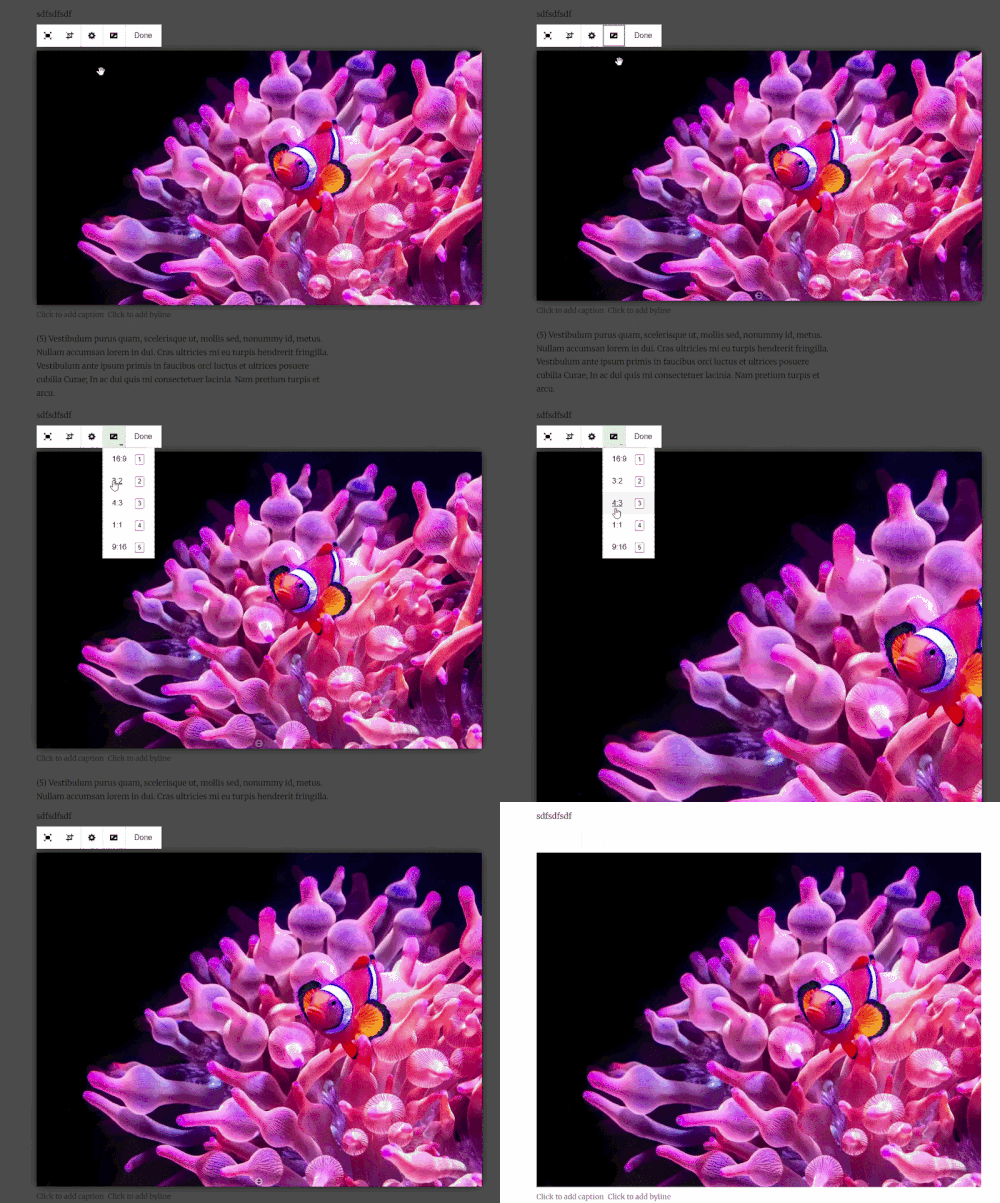
Set a fixed aspect ratio to images
When editing the size of an image, you will now see a new option in the menu allowing you to set a fixed image aspect ratio. This means the proportional relationship between the height and width of an image. To access this menu, click on an image and click on the aspect ratio icon in the menu. You can also use the number keys on your keyboard as hotkeys to set the ratio even faster.
Add multiple images to slideshows in one action
To update an existing slideshow with more than one image at a time, you can simply open the slideshow settings and click the newly added “new images” button. This will open your media library, where you can select one or more images to add in one single batch.
All updates are now available and ready for testing. To see all updates, improvements and changes, navigate to the help center in Labrador and click “Product updates”.
As always - if you have any questions or feedback for us, please get in touch via support@labradorcms.com.
All the best from the Labrador CMS product team